
Is a UniFi Dream Router Right for Your Smart Home?
Rewritten and brought up to date on .
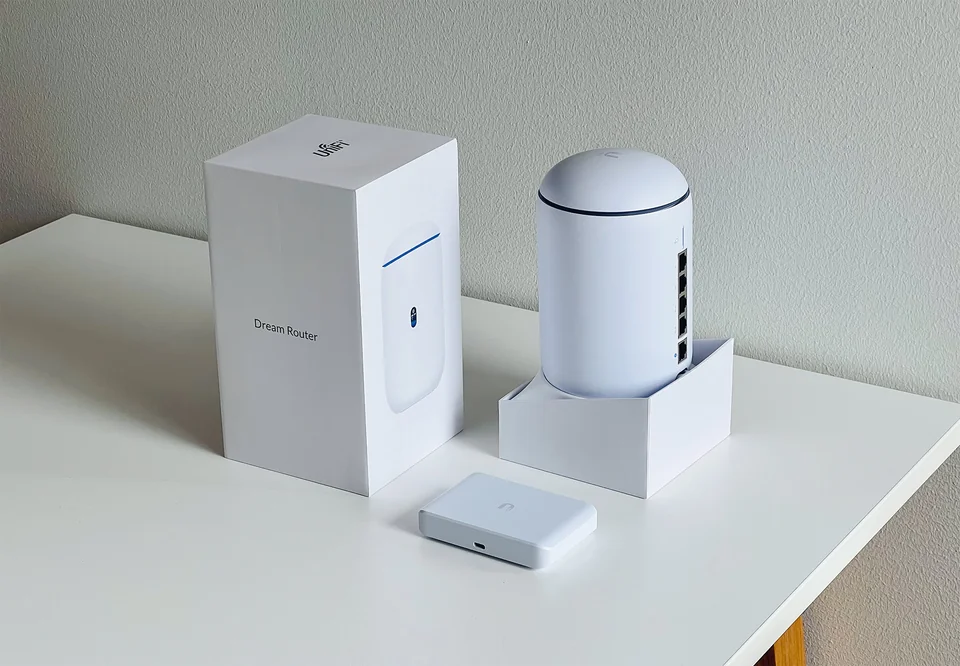
Ubiquiti’s UniFi equipment used to be something you’d find in offices and hotels. The Dream Router put the whole UniFi system into one white cylinder for the home: router, firewall, Wi-Fi, a small network switch and a recorder for security cameras.
It’s an excellent box for the right person, and a frustrating one for the wrong one. This guide explains which you are. It replaces our original 2023 post, which said the Dream Router supports Zigbee, Z-Wave and Thread smart home devices. It doesn’t, and we’ve corrected that below.
What it is
Ubiquiti calls the Dream Router a “cloud gateway”. In plain terms it combines five things:
- a router and firewall that connects your home to the internet;
- a Wi-Fi access point built into the top of the cylinder;
- a small switch with network ports for wired devices, some of which can power a camera or access point over the cable (Power over Ethernet, or PoE);
- storage for UniFi Protect, Ubiquiti’s camera system, so recordings stay in your house rather than in a subscription cloud;
- the UniFi apps, managed from your phone or a browser: Network for the network itself, and optionally Protect (cameras), Access (door locks) and Talk (phones).
The core features don’t need a subscription. Ubiquiti does sell optional paid add-ons, such as extended threat-detection signatures and extended hardware cover.
The two models
There are now two Dream Routers: the original Wi-Fi 6 model (UDR) and the Wi-Fi 7 Dream Router 7 (UDR7). The figures below come from Ubiquiti’s published spec sheets.
| Dream Router (UDR) | Dream Router 7 (UDR7) | |
|---|---|---|
| Wi-Fi | Wi-Fi 6: 2.4 and 5 GHz | Wi-Fi 7: 2.4, 5 and 6 GHz |
| Top Wi-Fi rates | 2.4 Gbps (5 GHz), 600 Mbps (2.4 GHz) | 5.7 Gbps (6 GHz), 4.3 Gbps (5 GHz), 688 Mbps (2.4 GHz) |
| Internet port | 1 GbE | 10G SFP+ or 2.5 GbE, with up to four internet connections |
| All ports | 5 × 1 GbE: 1 for internet, 2 with PoE | 4 × 2.5 GbE (1 with PoE) and 1 × 10G SFP+ |
| PoE power budget | 40 W | 15.4 W |
| Threat-scanning speed (IDS/IPS) | 1 Gbps | 2.3 Gbps |
| Camera storage included | 128 GB | 64 GB microSD |
| Rated Wi-Fi coverage | 1,500 ft² | 1,750 ft² |
Ubiquiti’s US store lists the Dream Router 7 at $279.
Two rows matter more than they look. Threat-scanning speed is the fastest your internet can run with intrusion detection switched on, so on a 2 Gbps fiber plan the original model becomes the bottleneck. And the PoE budget decides how many cameras or access points you can power straight from the router: the original can run two small ones, the Dream Router 7 only one.
Where it shines in a smart home
Separate networks for smart devices. UniFi makes it straightforward to create a separate network (a VLAN) for plugs, cameras and TVs, give it its own Wi-Fi name, and block it from reaching your computers. Our guide to putting smart home devices on their own network explains why that’s worth doing. It can also pass device-discovery traffic (multicast DNS) between networks, so casting to a TV on the other network can keep working.
Cameras without a monthly fee. With Ubiquiti’s UniFi Protect cameras, recordings go to the router’s own storage instead of a paid cloud plan.
Seeing what’s on your network. The Network app lists every device, how much data each one uses, and lets you block or limit any of them. For a smart home with forty gadgets, that visibility is the main reason people switch.
Getting home securely from anywhere. The router has VPN servers built in (WireGuard, OpenVPN and Ubiquiti’s own one-click Teleport), so you can reach your home network from a hotel without opening ports. Useful alongside our public Wi-Fi checklist.
Room to grow. For bigger homes you add UniFi access points, ideally wired, and they join the same system.
What it doesn’t do
It has no smart home radios. There’s no Zigbee, Z-Wave or Thread radio inside, and it isn’t a Matter controller. You still need whatever hub your devices use: a Hue Bridge, a SmartThings hub, a Home Assistant box, or an Apple or Google speaker acting as a Thread border router. The Dream Router gives those hubs a well-run network to sit on; it doesn’t replace them.
It isn’t a mesh kit in one box. One unit is rated for about 1,500 to 1,750 square feet. Covering more means buying UniFi access points, and they work best with an Ethernet cable to each. If you can’t run cable, read how mesh backhaul works before deciding.
It asks more of you. UniFi exposes a lot of settings. The defaults are sensible, but it isn’t as hands-off as consumer mesh systems built around a three-screen setup app.
Who should buy which
- Dream Router 7: you have, or expect, internet faster than 1 Gbps; you want Wi-Fi 7 and the 6 GHz band; you want headroom for years.
- The original Dream Router: your internet is 1 Gbps or slower, you want to power two cameras from the router, and you find one discounted.
- A consumer mesh kit instead: you want set-and-forget, your home is large with no Ethernet anywhere, and separate networks and local camera recording don’t interest you.
Setting it up for a smart home
- Set it up from the UniFi app, which finds the new router over Bluetooth.
- Turn on automatic updates for the router and any UniFi devices.
- Create a second network for smart devices with its own Wi-Fi name, and block it from starting connections to your main network.
- Give your smart home hub a fixed address (a DHCP reservation) so automations don’t break when it restarts.
- If casting or AirPlay stops working across networks, check that multicast DNS is enabled for both networks.